Branch & PR Status
Current state of all open branches and pull requests as of April 13, 2026. Every PR is conflict-free and CI-passing — ready for review and merge.
PR #287 fix: restore all lost polish & quality changes from merge
Branch: fix/restore-lost-polish-changes → dev
This is the primary deliverable. Restores 326+ files that were lost when a git merge dev
on the meeting-prep branch incorrectly resolved ~370 files to dev's version, discarding all polish and quality
changes from waves 1–6.
a57ea3d fix: restore 37 lost polish changes from merge
055add7 fix: restore additional lost polish changes from merge
d46a408 fix: restore all lost polish & quality changes from merge
45d0ec3 docs: add preferred live WorkOS keys auth method to CLAUDE.md
# Diff stats
368 files changed, +8,493 insertions, -4,136 deletions
# Merge base
Branch forks from dev at ecdd6f0 (latest dev HEAD)
Dev has 0 new commits since branch — perfectly up to date
# Conflict check
git merge --no-commit origin/dev → "Already up to date" — zero conflicts
PR #286 Open
Branch: feat/meeting-prep-canvas → dev
Status: MERGEABLE, no conflicts
Note: This is the older branch that had the bad merge. PR #287 supersedes the polish
changes from this branch. This PR can be closed once #287 is merged, or merged first if the meeting-prep
canvas feature is needed independently.
PR #282 Open
Branch: dev → main
Status: MERGEABLE, no conflicts
Title: "Added temporary logs to investigate caching in prod"
Note: This is the dev-to-main promotion PR. Should be merged after PR #287 lands on dev.
What PR #287 Restores
- ✓ Glass morphism card treatments
- ✓ Monochrome navigation icons
- ✓ Polish-lift hover transitions
- ✓ OKLCh color variable system
- ✓ Ambient gradient backdrops
- ✓ Typography refinements (-0.03em)
- ✓ Person/Company sheet styling
- ✓ Avatar border ring treatments
- ✓ Error handling (toast.error patterns)
- ✓ Memory leak fixes (timer cleanup)
- ✓ Dead code removal (~450 LOC)
- ✓ Schema hardening (Zod)
- ✓ Accessibility fixes (nested buttons)
- ✓ AbortController for TTS cancel
- ✓ Cache invalidation improvements
- ✓ MaxPages memory caps on queries
Auth Migration Compatibility
PR #287 was carefully built on top of the WorkOS AuthKit migration (PR #283, already merged to dev).
15 files had both polish changes and auth code — in every case, we kept dev's WorkOS auth code and only
restored the UI/styling changes. Auth infrastructure files (__root.tsx, sign-in.$.tsx,
knock/provider.tsx, etc.) were explicitly left untouched.
The branch forks from dev HEAD with zero commits behind — no rebase needed, no conflicts possible.
Platform Architecture
Orbiter is a network intelligence platform built with TanStack Start, React, and Tailwind CSS 4. Every view follows a consistent three-panel layout: sidebar (navigation/list), canvas (main content), and right panel (context/summary/modify).
AuthKitProvider → XanoAuthProvider → XanoRealtimeProvider → AppKnockProvider → Children
// Three-Panel Layout
[Sidebar] [Canvas] [Right Panel]
~280px flex-1 ~300px
// Navigation
Top nav: 7 monochrome icons (Discover, People, Leverage, Serendipity, Calendar, Outcomes, Teams)
Active view highlighted · URL param: ?active-view=<view>
| View | URL Param | Purpose | Status |
|---|---|---|---|
| Discover | discover |
Natural language search across people, companies, and connections | Live |
| Leverage Loops | leverage-loops |
AI-powered network leverage with person picker, fork-in-the-road, and CrayonChat | Live |
| Outcomes | outcomes |
Goal definition with AI surfacing people and steps to reach them | Live |
| Teams | teams |
Group contacts into teams for batch communication | Live |
| Collections | collections |
Curated lists with orbital graph visualization | Live |
| Serendipity | serendipity |
AI-discovered unexpected overlaps between people, companies, and ideas | Live |
| Meeting Prep | meeting-prep |
Calendar-driven meeting preparation with attendee context and AI prep | Live |
Discover
The Discover view is the primary entry point for natural language search across the user's entire network. Users can ask questions in plain English to find people by expertise, explore companies and their relationships, or ask anything across their network graph.
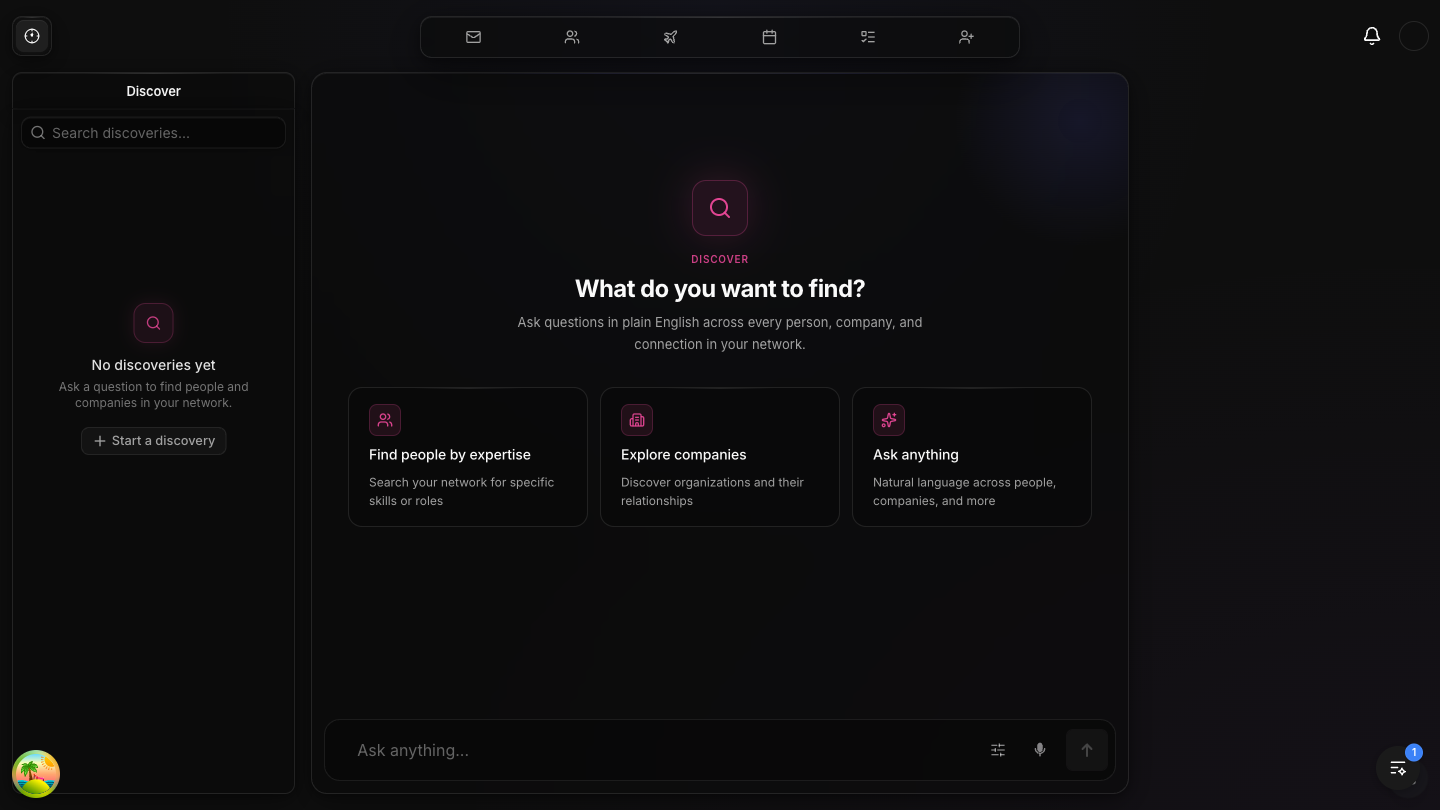
Discover Full-width canvas with search and starter cards
The Discover view features a centered layout with a prominent search icon and heading "What do you want to find?" Below the search bar, three starter cards guide users: Find people by expertise (search by skills or roles), Explore companies (discover organizations and relationships), and Ask anything (natural language across all data). The bottom composer bar includes filter controls, voice input (microphone), and a send button. The left sidebar shows discovery history with search capability.
- ✓ Natural language search powered by Xano AI backend
- ✓ Three guided starter cards for common workflows
- ✓ Voice input via microphone button in composer
- ✓ Discovery history in left sidebar with search
- ✓ Dark glass-morphism UI with pink/magenta accent
Leverage Loops
Leverage Loops is the core network intelligence feature. Users select a person from their network, and Orbiter's AI surfaces the best ways their network can help that person. The flow goes: Person Picker → Fork in the Road (quick leverage vs. interview) → AI-generated suggestions.
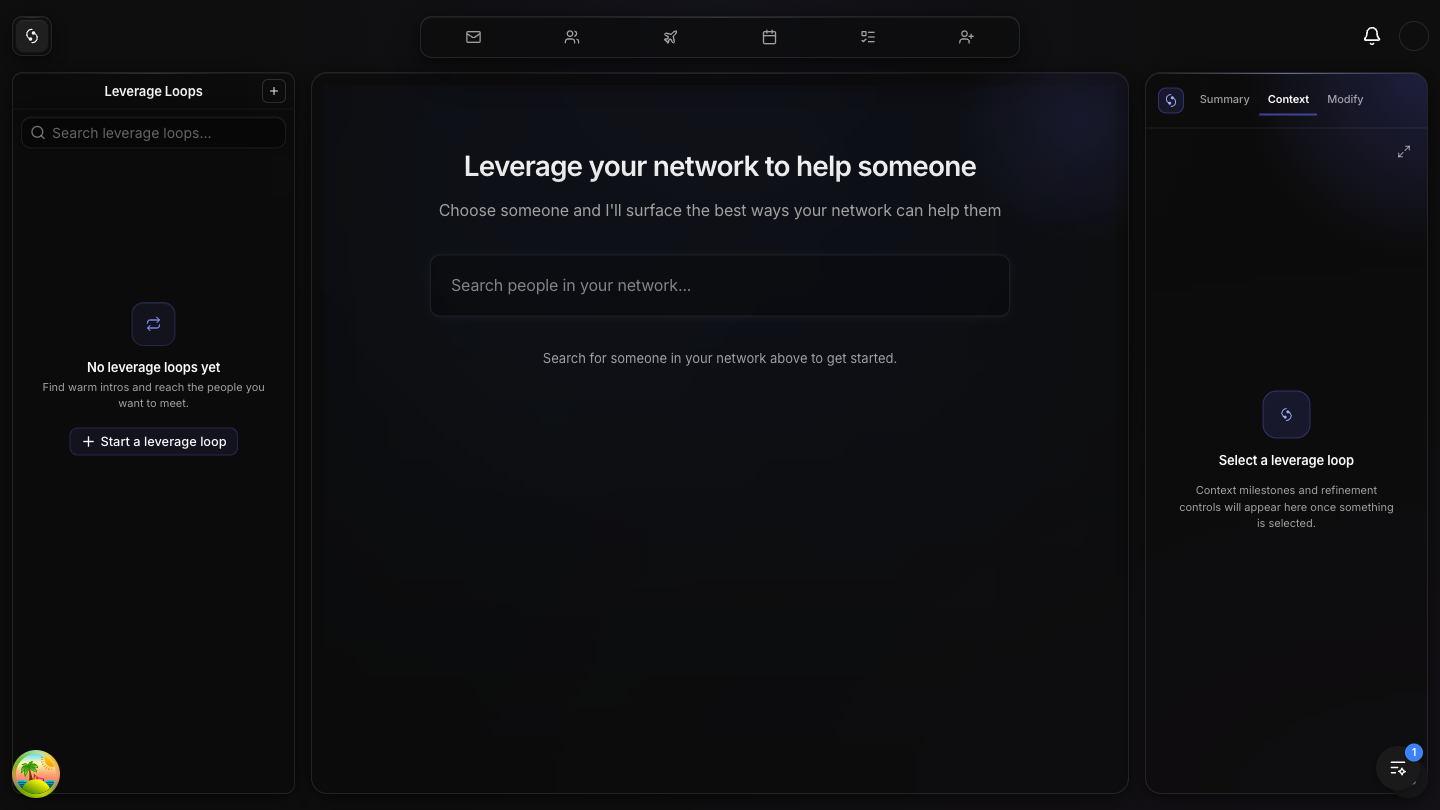
Leverage Loops Person picker with network search
The Leverage Loops canvas shows the creation flow starting state. The heading "Leverage your network to help someone" sits below the top nav with proper spacing (pt-16). A network search input allows users to find anyone in their network. The left sidebar shows the loops list with search and a "+ Start a leverage loop" button. The right panel has three tabs: Summary, Context, and Modify — these populate once a loop is selected.
Creation Flow
Phase 1 — Person Picker: Search or browse suggested contacts from the network.
Recent connections appear in a 3-column grid below the search bar.
Phase 2 — Fork in the Road: Choose between "Quick Leverage" (instant AI dispatch)
or "Ask Questions" (guided CrayonChat interview).
Phase 3 — CrayonChat: Full conversational AI interface with person-specific
conversation starters and leverage-mode system prompt.
Right Panel
The right panel provides contextual information for the selected leverage loop:
Summary tab: Overview of the loop's AI-generated suggestions and status.
Context tab: Deep context milestones from the interview conversation.
Modify tab: Refinement controls for adjusting the loop parameters and re-running.
- ✓ Three-phase creation flow: Picker → Fork → Chat/Quick
- ✓ CrayonChat integration with SSE streaming responses
- ✓ Quick dispatch for instant network leverage scan
- ✓ Person-specific conversation starters based on bio/title/company
- ✓ Suggested people grid with shuffle button
- ✓ Three-tab right panel (Summary, Context, Modify)
Outcomes
The Outcomes view lets users define goals and have Orbiter's AI surface the people and steps needed to reach them. It features a CrayonChat-powered conversation interface with pre-built goal starters.
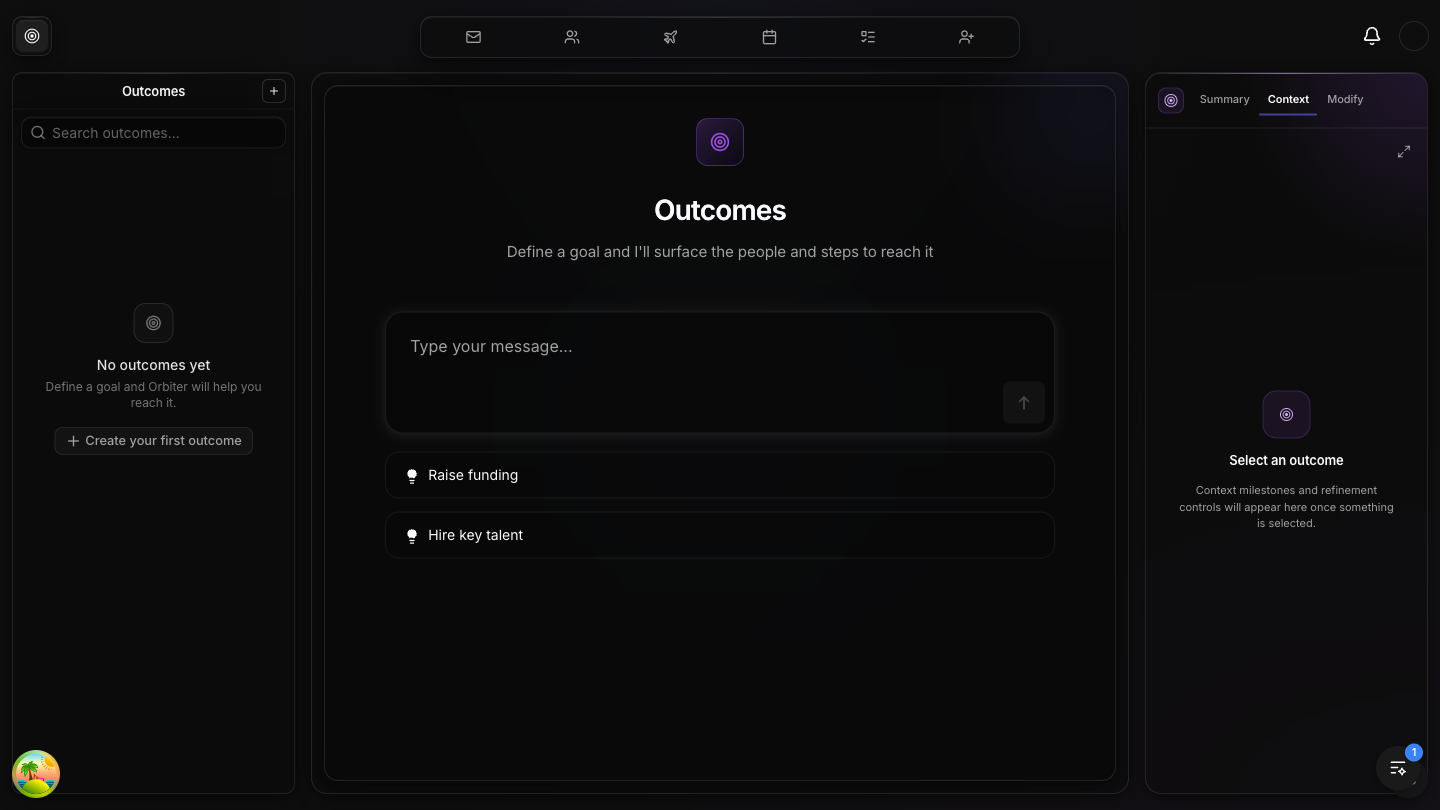
Outcomes Goal definition with AI-powered action planning
The Outcomes canvas displays a centered layout with the Outcomes icon, heading, and description "Define a goal and I'll surface the people and steps to reach it." Below the message input, two pre-built goal starters are shown: "Raise funding" and "Hire key talent", each with a gold indicator dot. The left sidebar shows outcome history, and the right panel mirrors the Leverage Loops structure with Summary, Context, and Modify tabs using a purple accent color.
- ✓ CrayonChat-powered conversational goal definition
- ✓ Pre-built goal starters (Raise funding, Hire key talent)
- ✓ Purple accent color theme distinct from Leverage Loops
- ✓ Full three-panel layout with right panel context
- ✓ AI surfaces relevant people and actionable steps
Teams
Teams lets users group their contacts into collaborative teams. Each team can be used for batch communication and group-level insights.
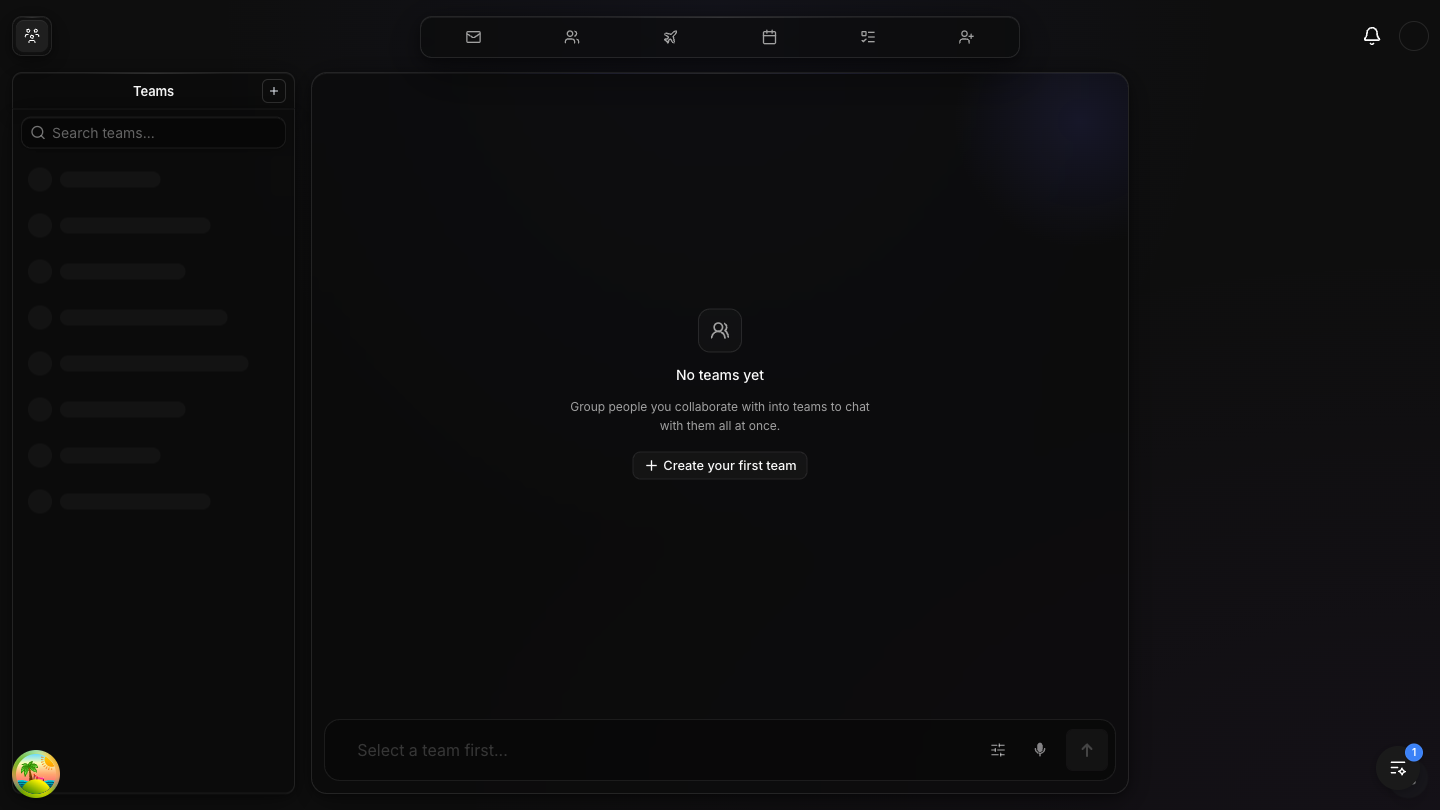
Teams Contact grouping with team management
The Teams view shows the left sidebar populated with team members as skeleton-loaded contact rows (avatar circles with name placeholders). The main canvas shows an empty state with the Teams icon, "No teams yet" message, and a call-to-action: "Group people you collaborate with into teams to chat with them all at once" with a "+ Create your first team" button. The bottom composer shows "Select a team first..." as placeholder text.
Collections
Collections are curated lists of contacts with a unique orbital graph visualization. The canvas renders a 3D-style network sphere showing relationships between collected contacts.
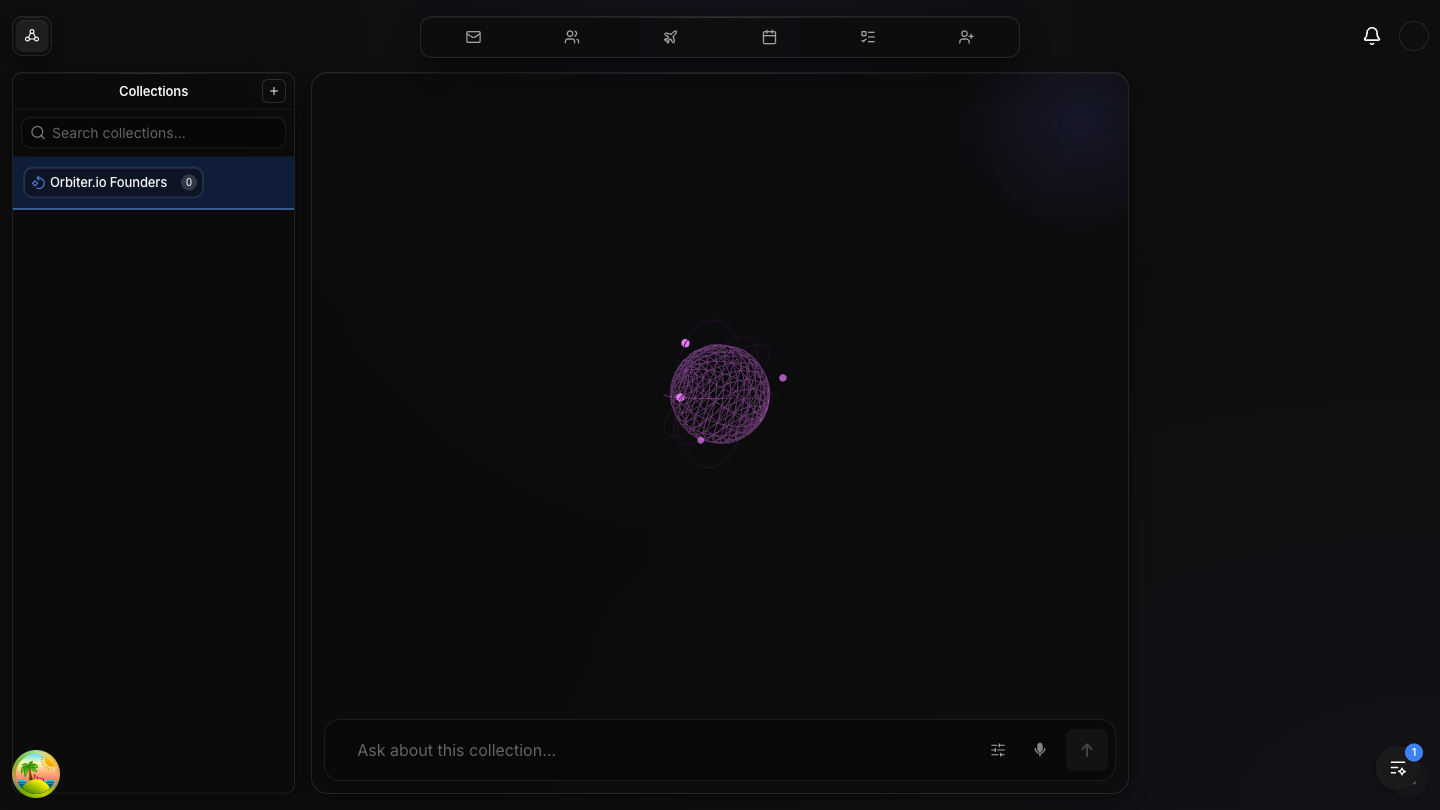
Collections Curated lists with orbital graph visualization
The Collections view features a distinctive orbital network graph in the canvas area — a 3D sphere of interconnected nodes representing the relationships between people in the selected collection. The left sidebar shows "Orbiter.io Founders" as an existing collection (with a count badge "0"). The collection icon uses the Orbiter brand treatment. The bottom composer reads "Ask about this collection..." enabling natural language queries about the grouped contacts.
Serendipity
Serendipity is Orbiter's ambient intelligence feature that surfaces unexpected connections and overlaps between people, companies, and ideas as the user's network grows.
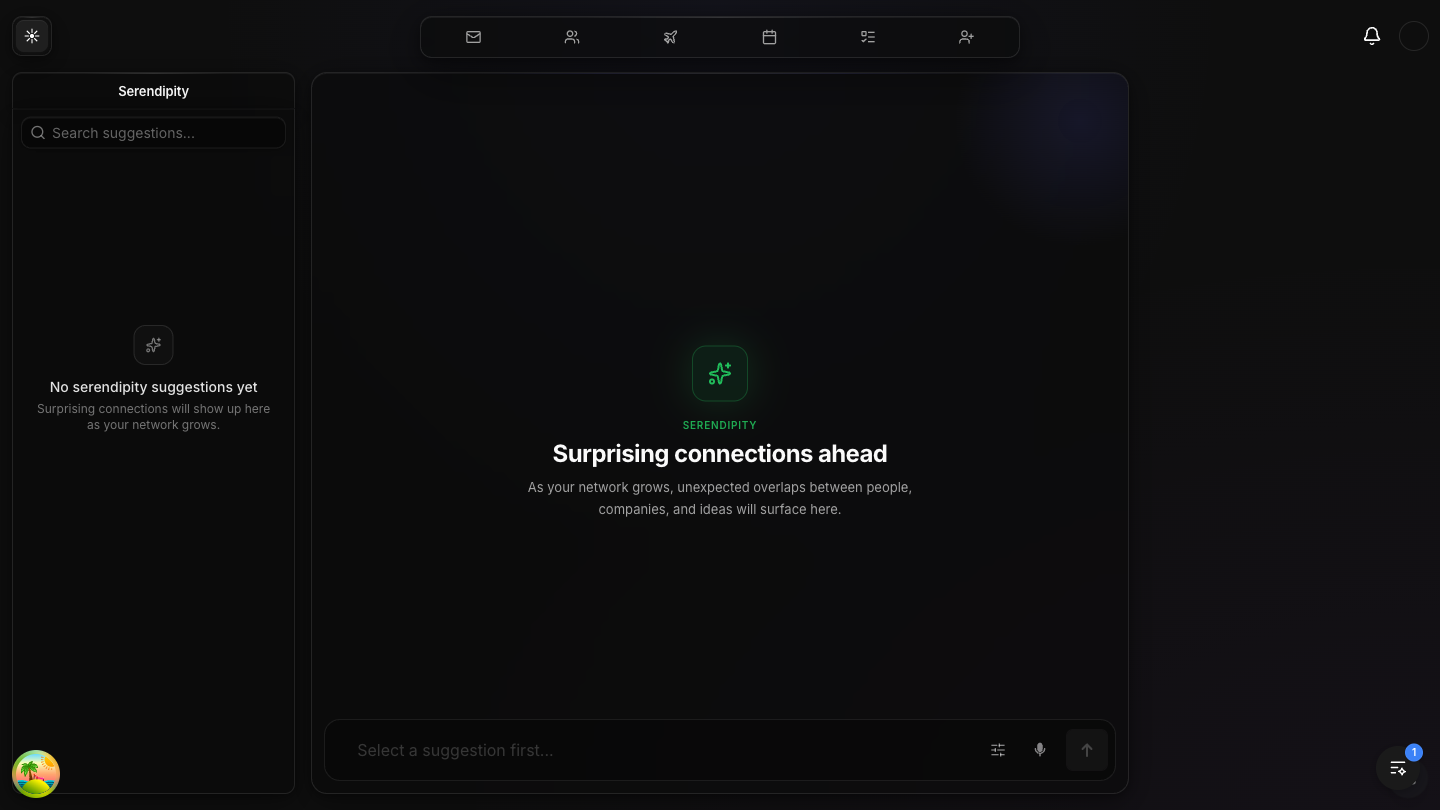
Serendipity AI-discovered unexpected connections
The Serendipity view uses a distinct green accent color with the sparkle/stars icon. The empty state reads "Surprising connections ahead" with the description "As your network grows, unexpected overlaps between people, companies, and ideas will surface here." The left sidebar shows "No serendipity suggestions yet" with a helpful prompt. This feature runs passively in the background, generating insights as the network graph expands.
Meeting Prep
Meeting Prep is the newest addition to Orbiter (added in this sprint). It connects to the user's calendar and provides AI-powered preparation for upcoming meetings including attendee context, deep research, and meeting goal planning.
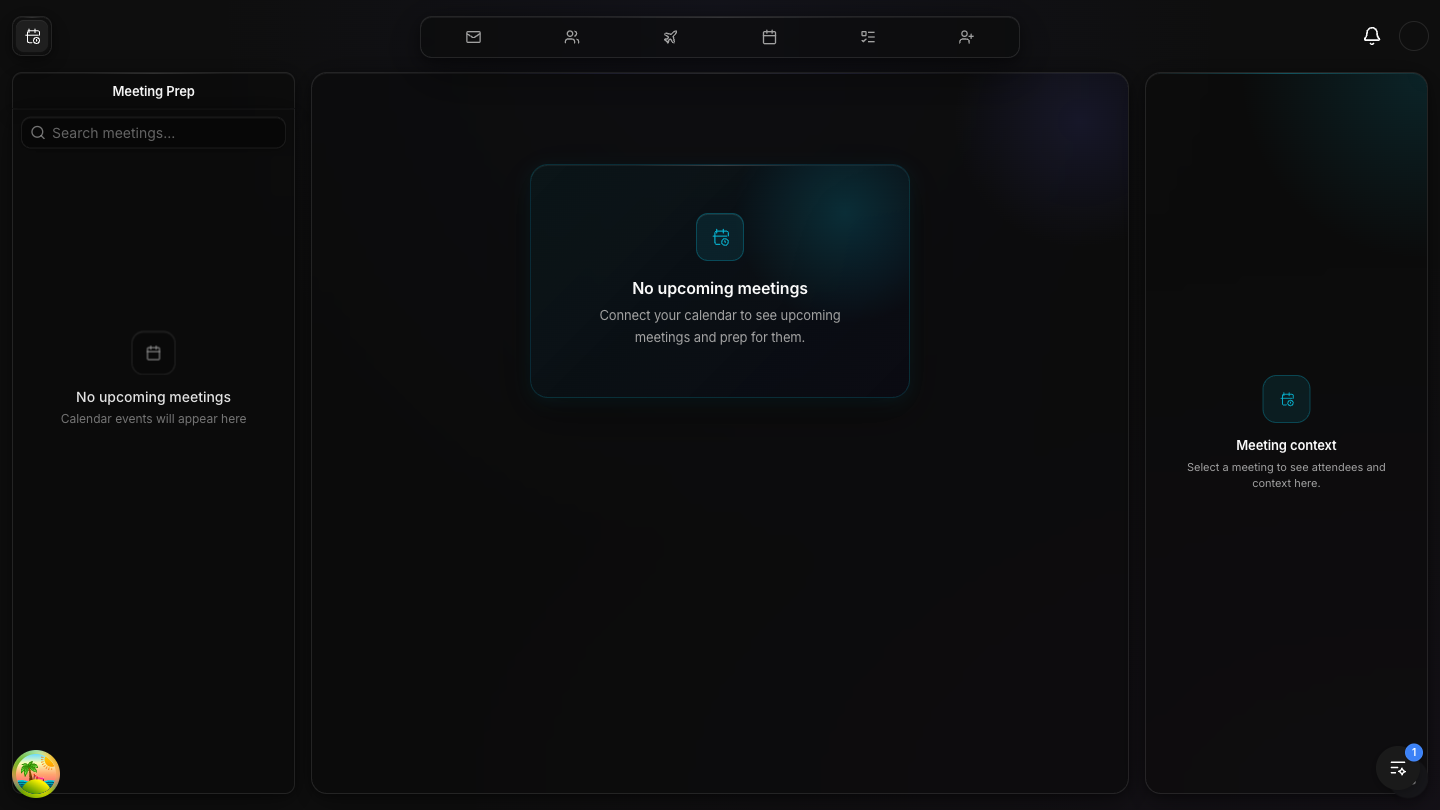
Meeting Prep Calendar-driven meeting preparation
The Meeting Prep view features a teal/cyan gradient card in the canvas with the calendar icon and
"No upcoming meetings" message prompting users to connect their calendar. The left sidebar mirrors
this with "No upcoming meetings — Calendar events will appear here." The right panel shows
"Meeting context — Select a meeting to see attendees and context here." This view integrates
with the V2 Calendar Events API (group LR2ywW7R) for real-time calendar data.
When Connected
Once a calendar is connected, upcoming meetings appear in the sidebar. Clicking "Prep this meeting"
triggers context gathering: deep bios, social insights, company research, email threads, and
previous meeting transcripts. All context persists in the meeting_prep_context table.
Context Checklist
The prep flow gathers: deep bio for every attendee, social insights, company research for each represented organization, related email threads, YouTube transcripts, and previous meeting transcriptions with the same participants.
UI Design System
The current UI follows a "Calmer Interface" design philosophy inspired by Linear, with consistent dark theme, glass morphism, and monochrome navigation. Each view has a distinct accent color.
Navigation
The top nav uses 7 monochrome icons in a fixed horizontal bar. The active view's icon is highlighted with a filled background treatment. Icons are clean, minimal SVGs matching the dark theme. The Orbiter logo sits top-left as a return-to-home button. Notifications bell and user avatar are top-right.
Color System
Discover: Pink/Magenta
Leverage Loops: Indigo/Blue
Outcomes: Purple/Violet
Serendipity: Green/Emerald
Meeting Prep: Teal/Cyan
Teams/Collections: Neutral/Blue
Glass Morphism
Cards use bg-black/20 with backdrop-blur-xl, subtle white/10 borders,
and inset highlights. The canvas area features ambient gradient backdrops with 120px blur for depth.
All interactive elements have polish-lift hover transitions.
Typography
Inter font family with -0.03em letter spacing on headings. Gradient text fills on primary headings (foreground to transparent 10%). Muted text at 13px for secondary content. Uppercase 12px/600 with 0.08em spacing for section labels.
Technology Stack
Current production stack powering the platform.
TanStack Start (full-stack React framework)
TanStack Router (file-based routing)
TanStack React Query (server state management)
Tailwind CSS 4 (OKLCh color variables)
CrayonChat v2 (AI chat UI framework)
Biome (lint + format)
// Auth
WorkOS AuthKit (migrated from Clerk, April 2026)
WorkOS → Xano token exchange (/auth/login_workos)
// Backend
Xano (REST API, realtime, serverless functions)
Knock (notifications)
Xano Realtime (WebSocket subscriptions)
// AI
Xano Robert API (group Bd_dCiOz, ID 1261)
SSE streaming chat + template card rendering
Gradium (TTS primary) + ElevenLabs (TTS fallback)
Web Speech API (STT primary) + Gradium ASR (STT fallback)
What Was Done This Sprint
Summary of work completed on branch fix/restore-lost-polish-changes (PR #287).
-
✓
Restored 326+ files lost during a merge conflict where
git merge devincorrectly resolved ~370 files to dev's version, discarding all polish and quality changes from waves 1-6. -
✓
Auth migration compatibility — Carefully handled 15 auth-conflicted files where both polish changes and Clerk→WorkOS migration code existed. Kept dev's auth code, restored polish styling.
-
✓
Build verified clean —
pnpm buildpasses with zero errors after all restorations. Fixed import conflicts (missing icon exports, deleted module references, auth imports). -
✓
CLAUDE.md updated — Replaced all outdated Clerk references with WorkOS AuthKit. Added new local dev auth recipe with live WorkOS keys method.
-
✓
Leverage Loops layout polish — Adjusted canvas top padding (py-8 → pt-16 pb-8) for better visual balance with the top nav bar.
-
✓
Meeting Prep canvas — New 7th view added to the navigation with calendar-driven meeting preparation workflow, context panel, and CrayonChat integration.